Skip to the case study

All case studies

Jill Low

Product Designer, UX/UI & Front-end Coder

Case study · Purchase flow Head of Product Design, Starboard, later Stellar Aug to Sep 2024

The half of the sale that happens after the call

Stellar formed companies for founders and kept them compliant afterwards, across Singapore, Malaysia and twenty-two US states. Selling one took a call, because company setups carry real nuance and somebody had to ask before anyone could price it. The call worked. What followed it still needed an ops manager: HubSpot generated the invoice, but somebody had to step in to get it out and then chase the payment. I designed what comes after the call: the customer signs in, checks over what sales put together for them, and pays for it without needing a second conversation.

01

The sale stopped at the call

The shape of a Stellar sale was set before I touched it. A lead gets qualified, a HubSpot deal creates the entity, and sales picks the services and packages during or after the call. That part was fine. Two salespeople and a few ops managers ran it, and the nuance in a company setup is real enough to want a person there.

What came next was slower. HubSpot generated the invoice, but getting it out still took an ops manager stepping in, and so did chasing the payment afterwards. There wasn’t enough time to keep up with that.

So the design problem wasn’t how someone buys without a salesperson. It was how you hand a deal that a salesperson already scoped back to the customer, so they can finish it on their own without booking a second call.

That shows up in the first word of the first screen. It says reconfirm your package, not choose one. Nothing on it is a decision the customer is making for the first time.
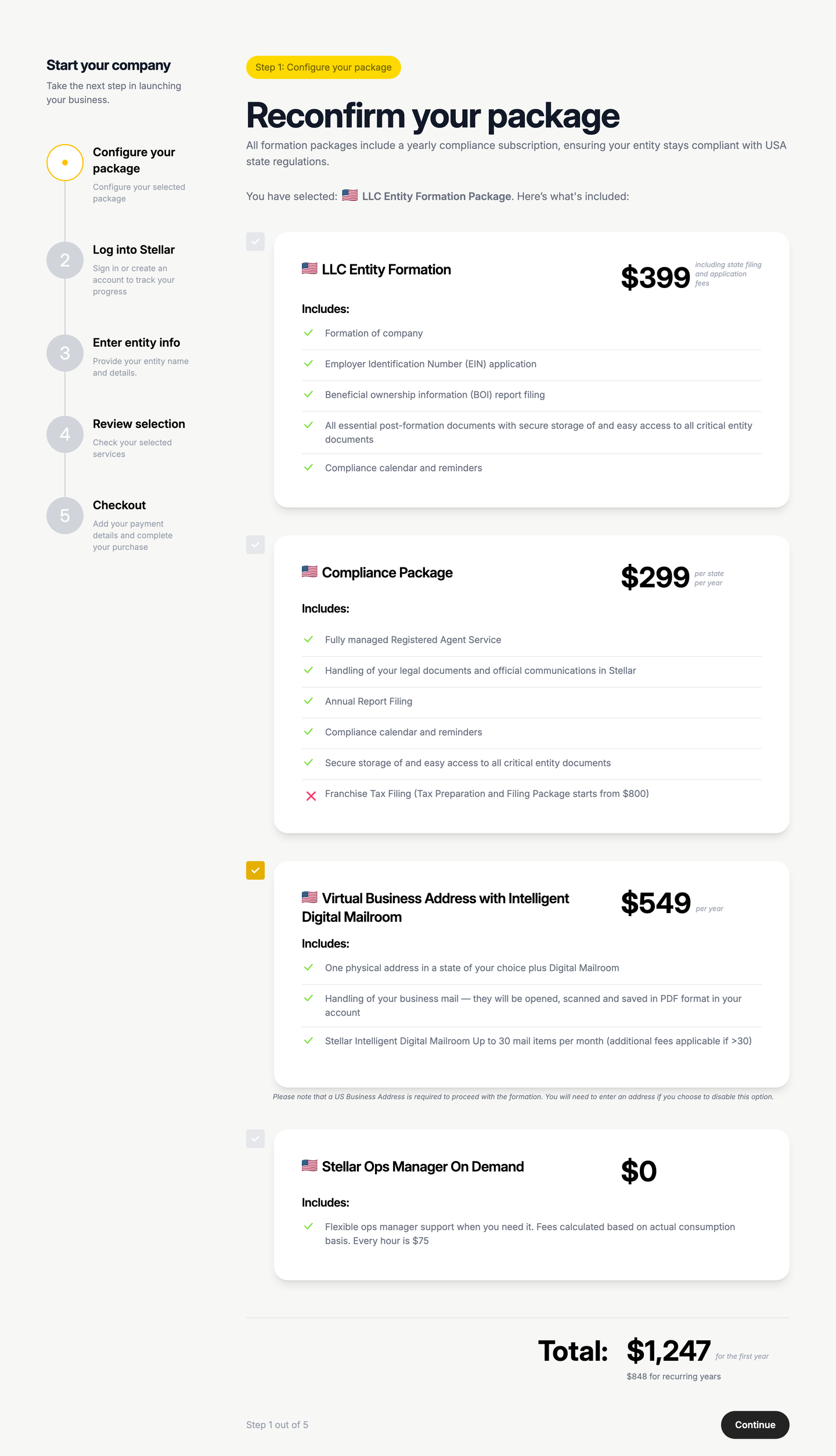
The customer arrives at a package sales has already assembled. Reconfirm, not choose.
02

Showing someone else’s configuration

The customer is reading a package that somebody else assembled, on their own, with nobody to ask. Two things had to hold on that screen. It had to sell what we were actually selling, and nobody should reach the bottom of it unsure what they had just paid for.

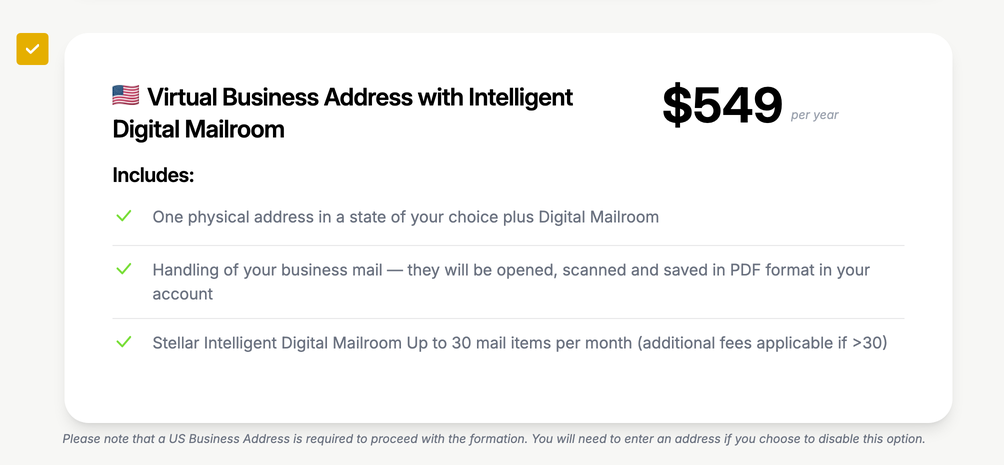
Formation and the compliance subscription carry a grey checkbox and can’t be switched off. Keeping your company compliant was the proposition, so it isn’t an add-on you decline. The one optional item carries the amber accent instead, and what’s fixed against what’s yours to change reads before anyone gets to the words.

Switching the optional item off costs you something, and the line under it says so: a US address is required to form a company, so you’ll have to supply your own.

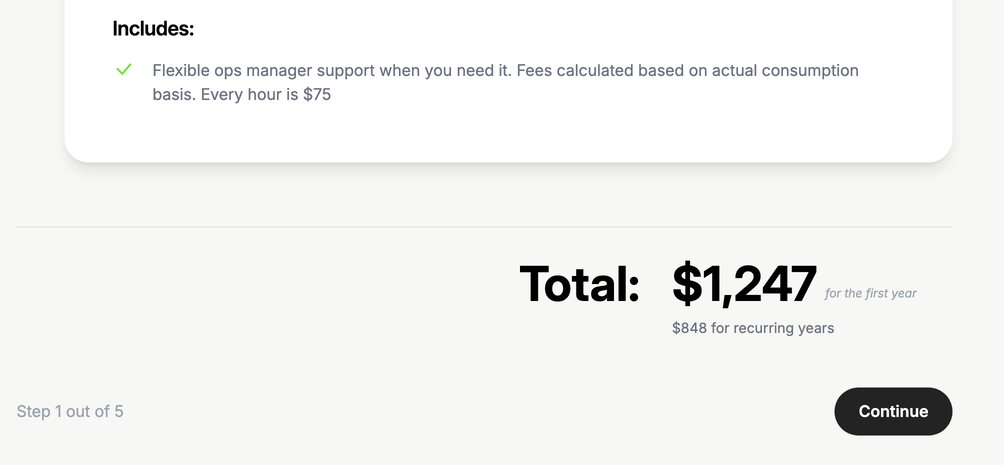
The ops manager line sits at $0 and bills $75 an hour on what you use.

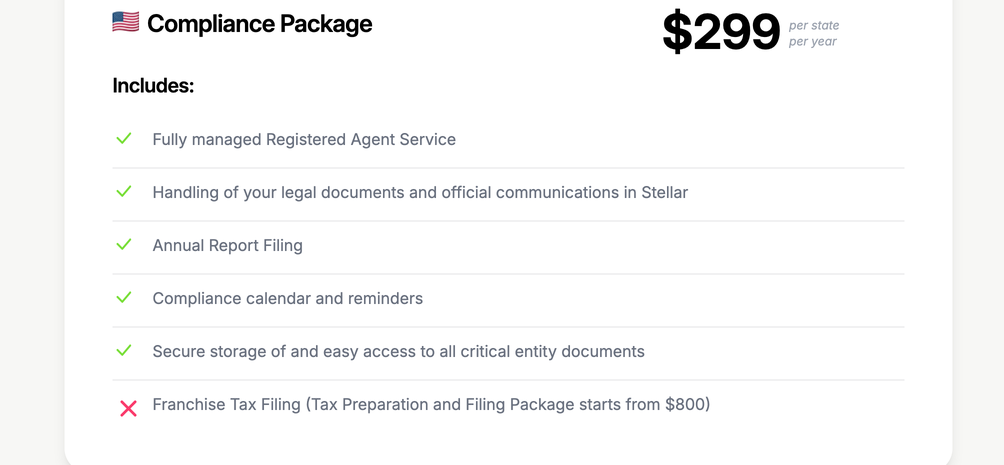
Inside the compliance package there’s a red cross against franchise tax filing, a line stating what the package does not cover with the price of the one that does. It’s the only red cross in the flow. Knowing what you’re paying for means knowing what isn’t in it. I’d built the same treatment on the Services page in March and carried it over the day I started this.

The total splits the first year from every year after, $1,247 and $848. Formation happens once and everything else renews. One number would have buried the difference.

Three details of the same screen: what the package excludes, the one item you can switch off and what it costs you, and a total that separates the first year from the rest.
03

What the form is actually for

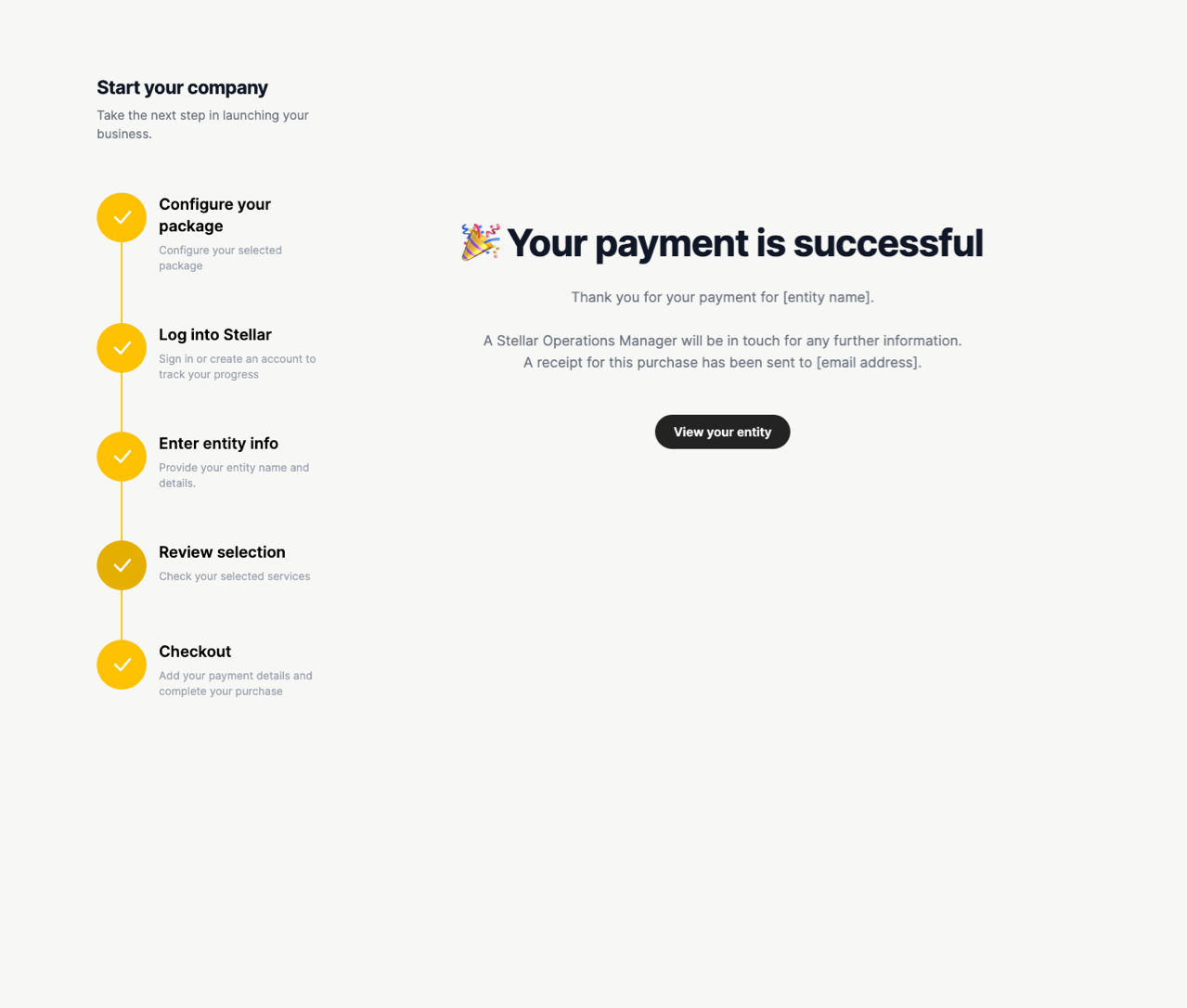
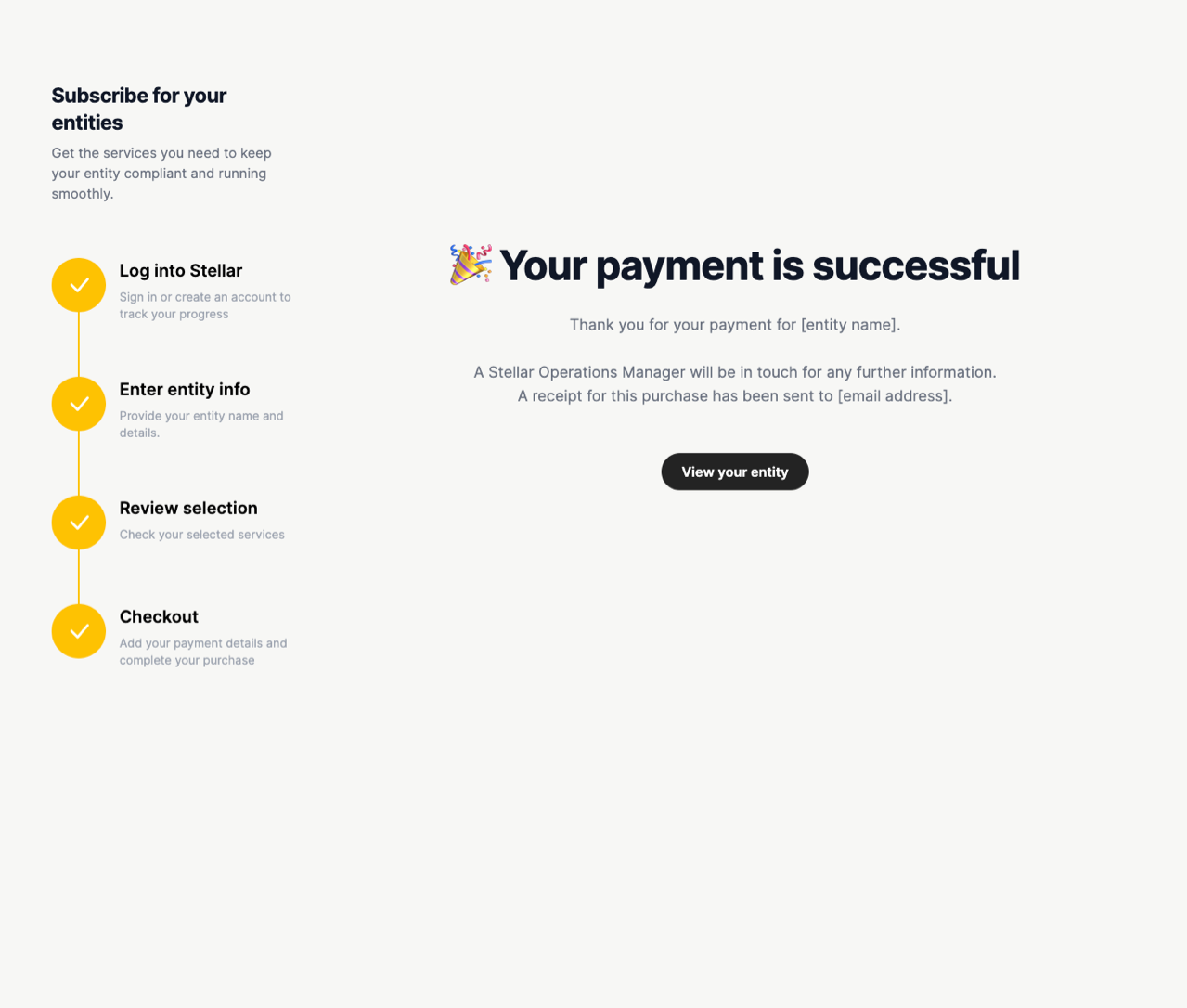
Paying doesn’t only settle an invoice. It generates the customer’s Stellar account and the entity record inside it, holding the details they intend to register under. The confirmation screen has one button on it and it says view your entity. You can look at the company before it exists.

So the form is sized to the company rather than to the payment. It asks for what the entity record needs, not for what taking a card payment needs.

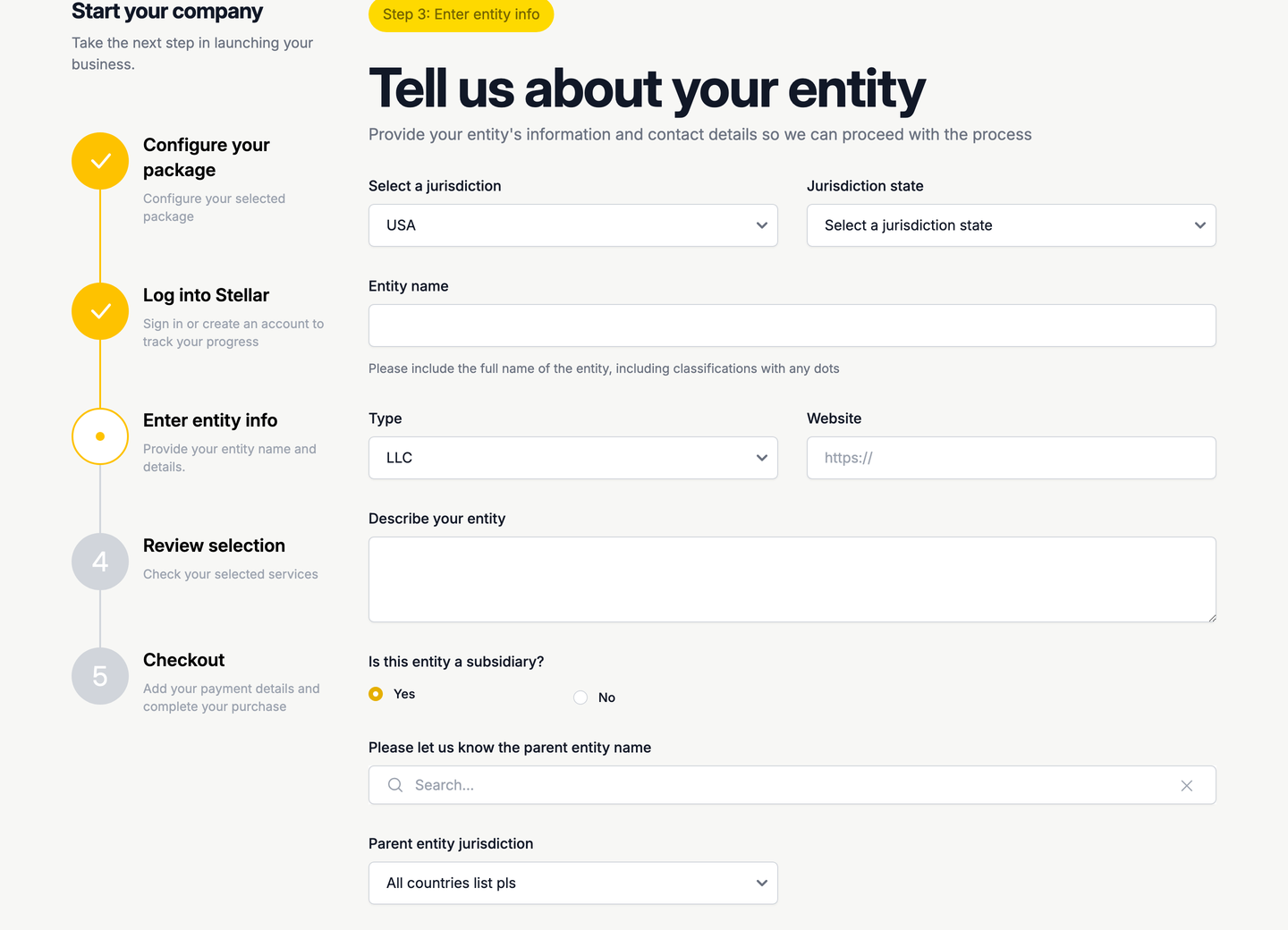
It also settles where a question belongs. We were aiming at multi-region companies from the start, and the common case was a Singapore or Malaysian company forming a US subsidiary under a parent it already had. Those filings need the parent’s details, and ops were chasing them after the sale, when the customer has already paid and moved on. Since the form is the record, the question goes in here: is this entity a subsidiary, and answering yes opens the parent’s fields beneath it, its name and its jurisdiction, then the state once that jurisdiction is picked.

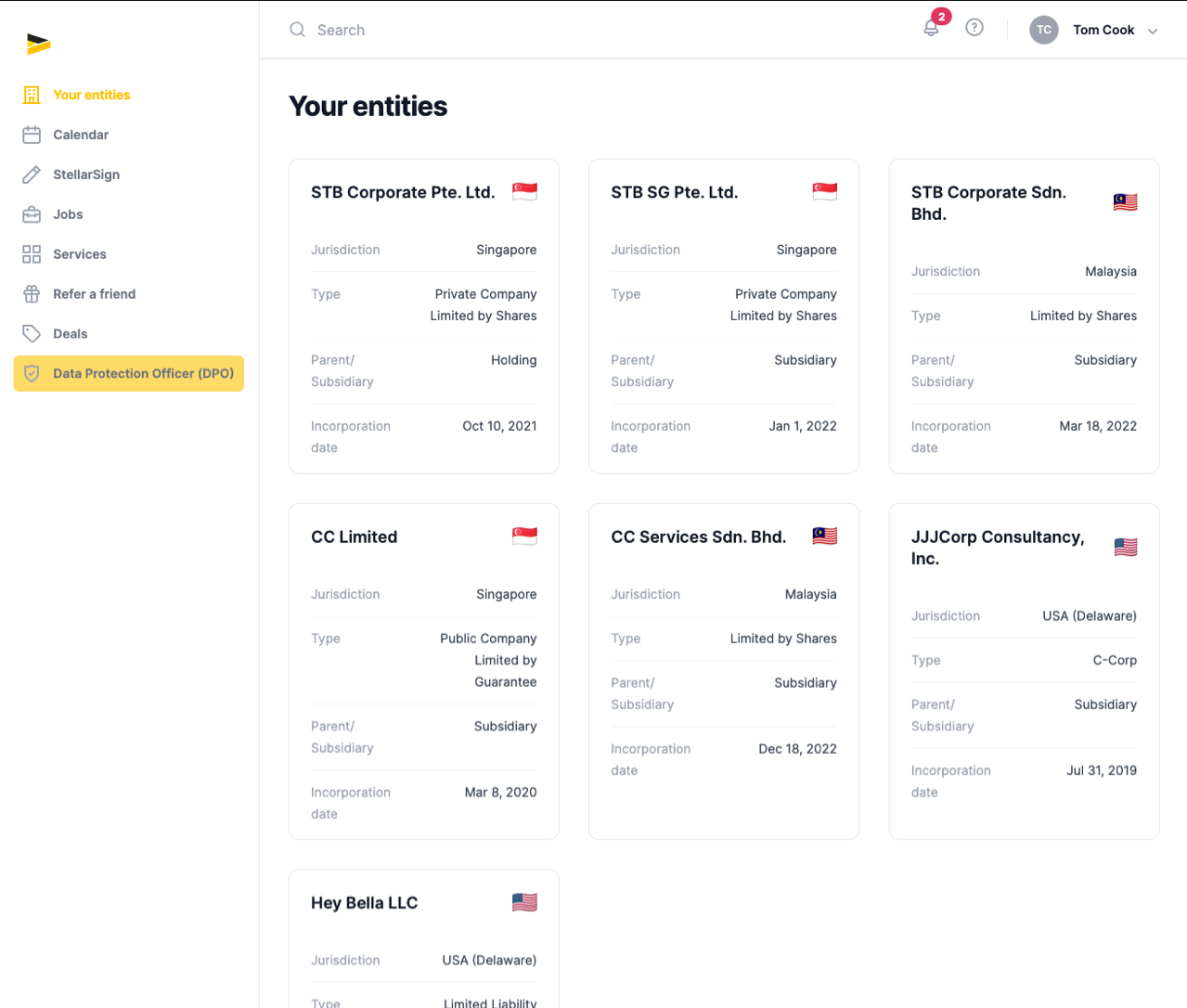
Asking at checkout also means the answer is there from the first day. A customer’s entity list carries a Parent/Subsidiary line on every card, so a company bought through this flow shows its place in the group straight away rather than arriving as a record with nothing attached to it.

Answering yes opens the parent fields beneath the question.
04

Everything back, before you pay

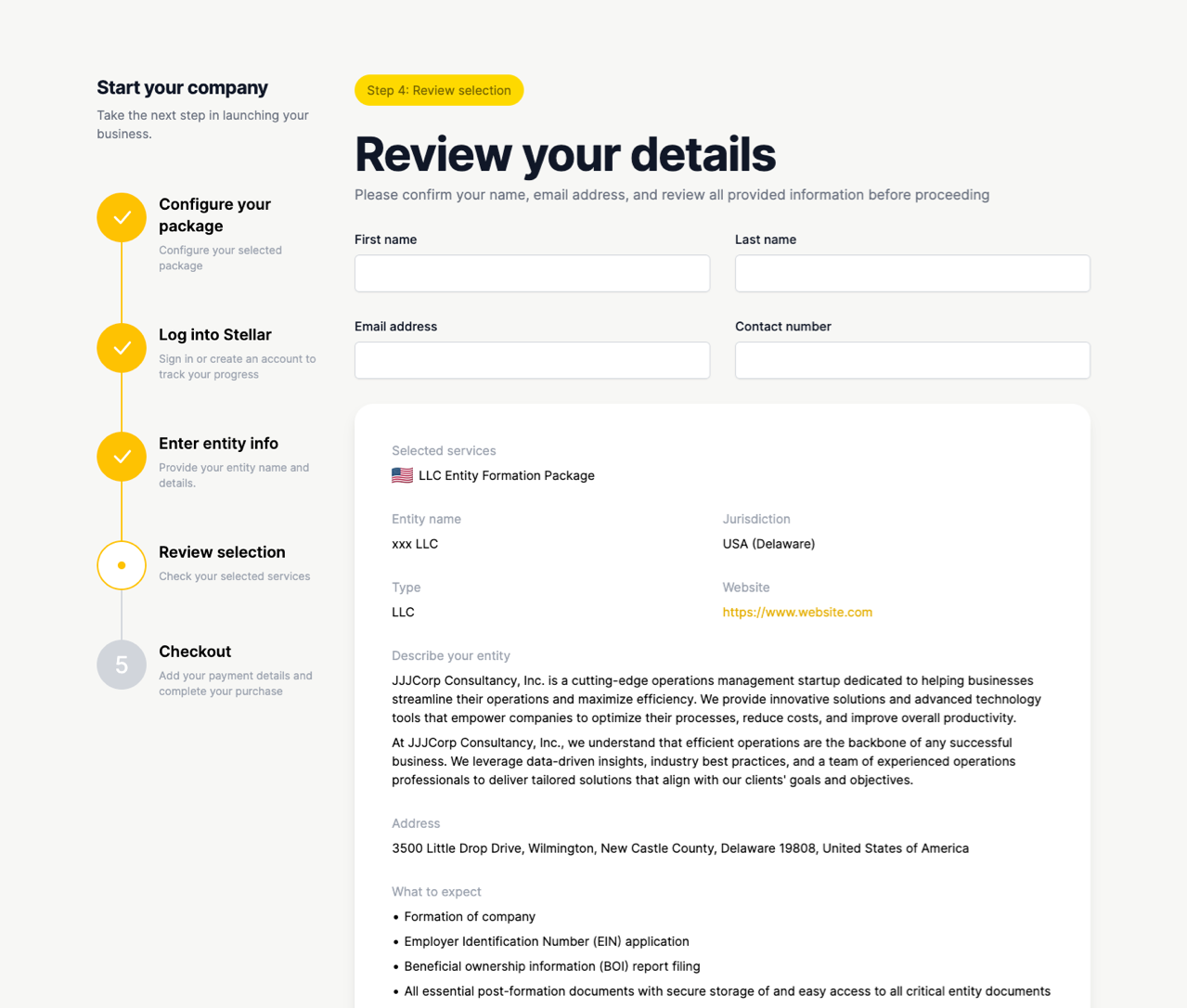
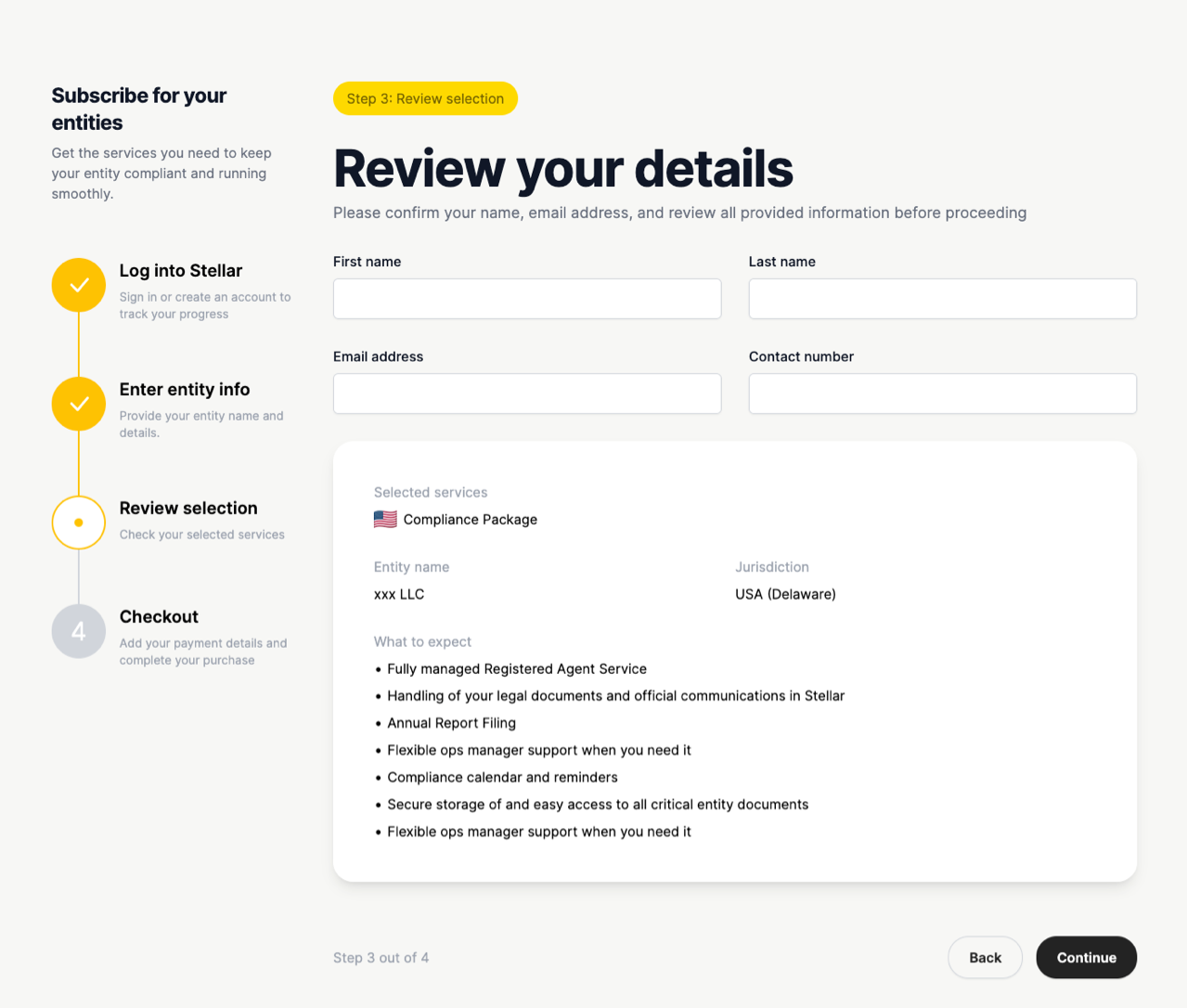
The review step shows the whole purchase again before any money moves: your details, the entity, the address, and the full list of what you’re buying.

Legal required customers to confirm a Service Agreement before buying. That wasn’t my call, but how it behaves was: Continue starts disabled and stays that way until you open the agreement.

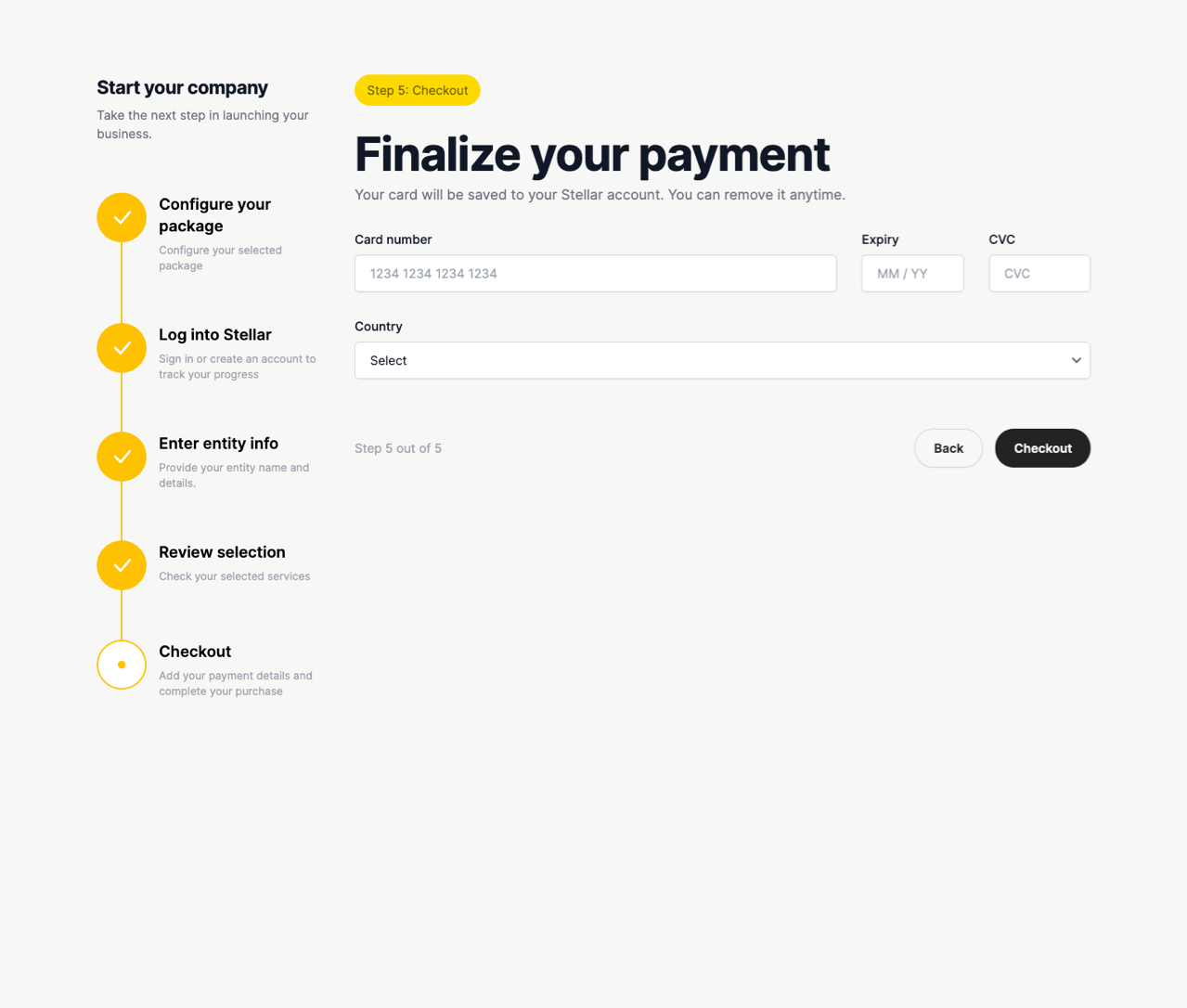
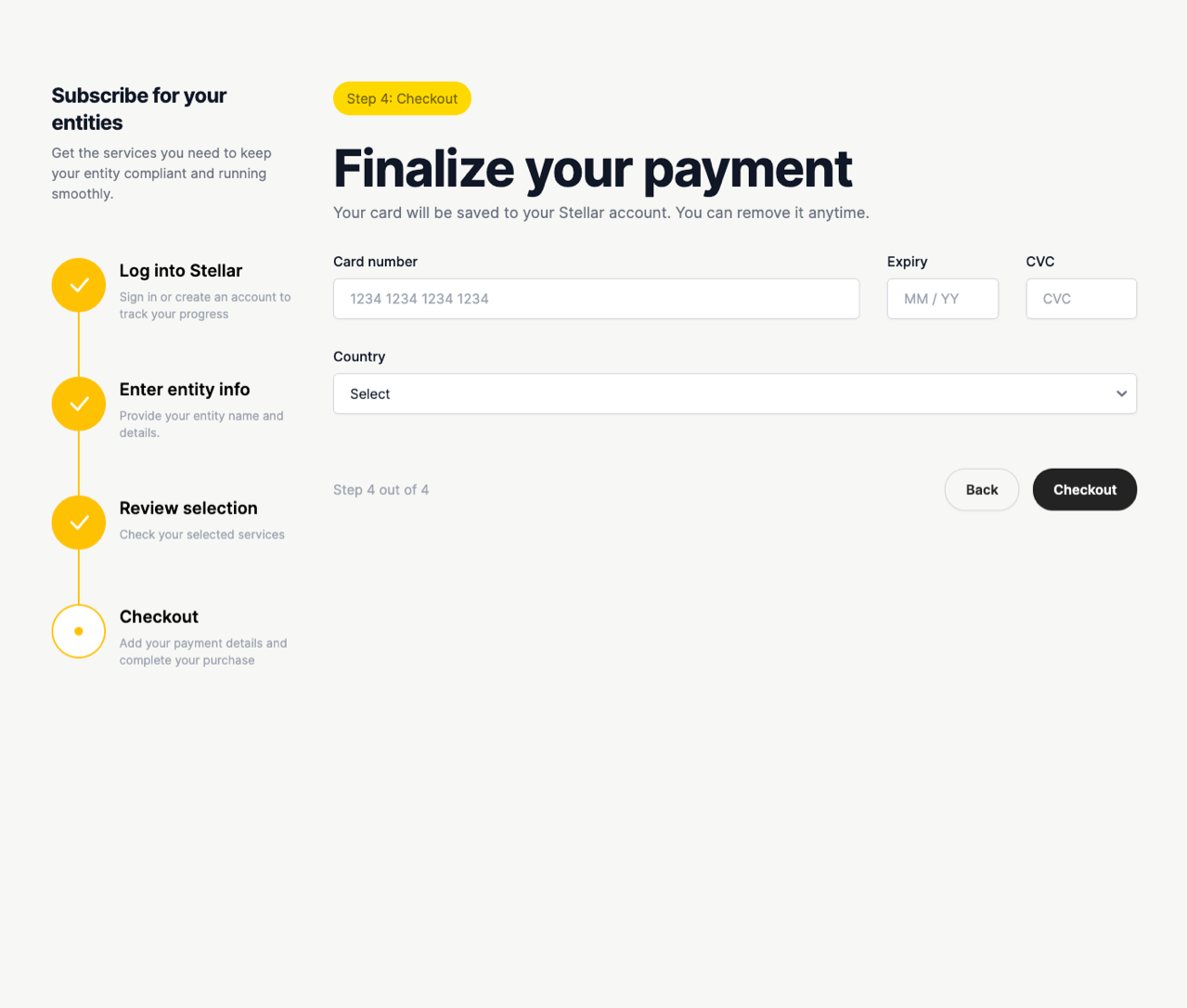
Then it’s the card, and a confirmation whose only button sends you to the entity. That company is already sitting in the customer’s list with its jurisdiction and its place in the group on it, which is what the form was for.

The review step, the card, and the two screens after it. The company is in the customer's list before an ops manager has touched anything.
05

The same flow, asking a fraction as much

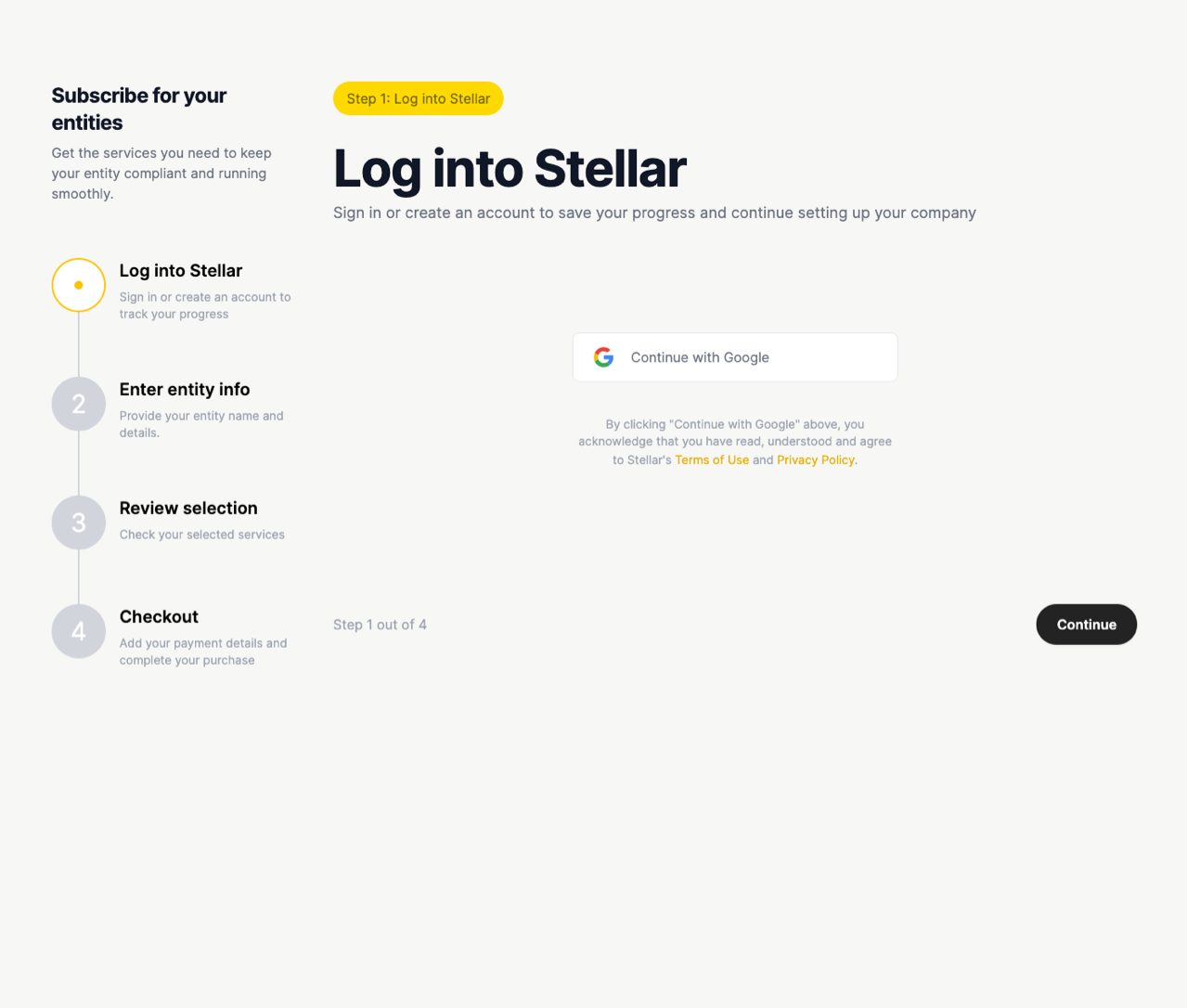
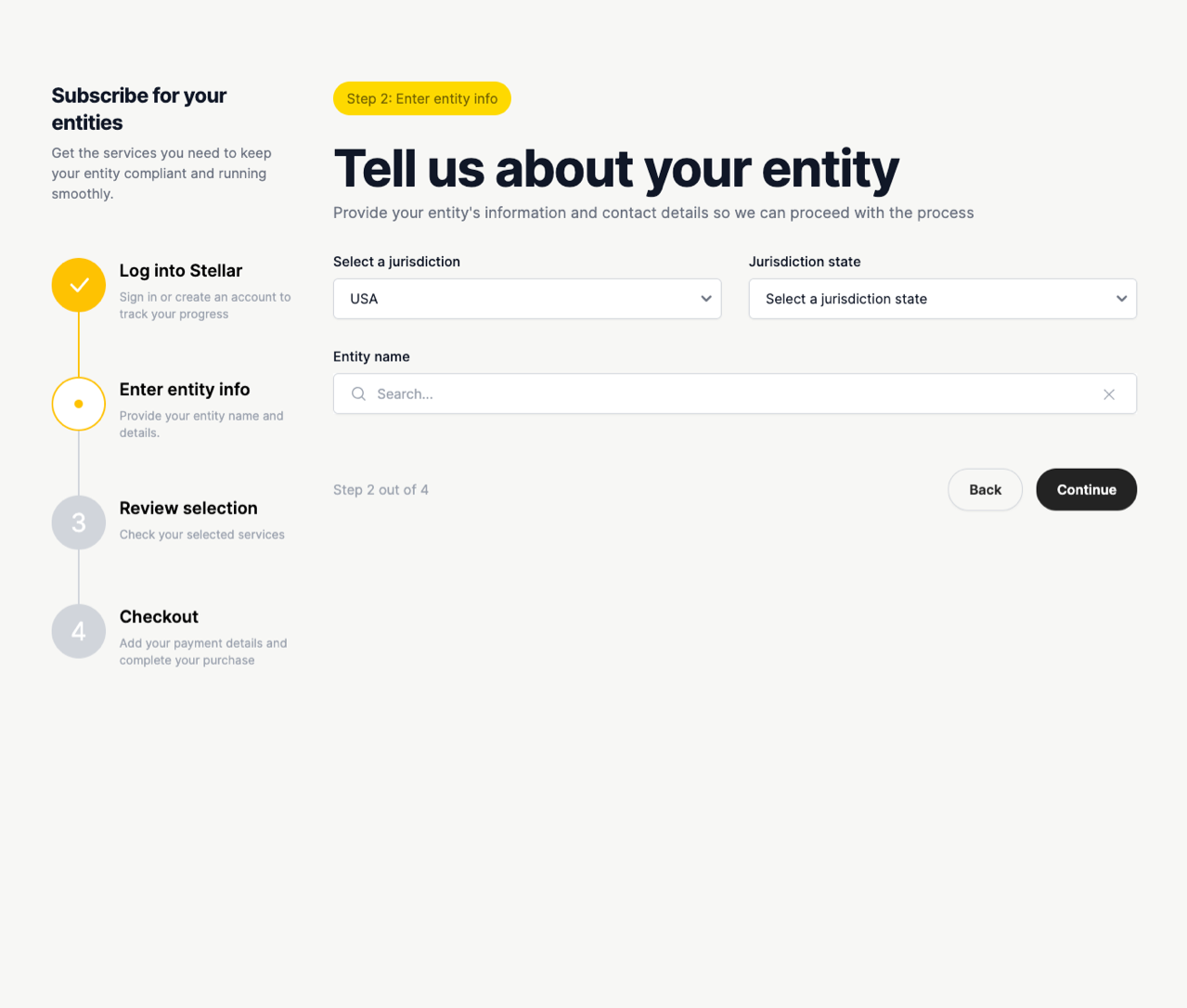
The second flow sells compliance on its own, to a company that already exists. There’s no package to reconfirm, so step one goes and it runs in four.

The shared step is where the real difference sits. Buying a formation, the entity step asks eighteen things: jurisdiction, state, name, type, website, a description, whether it’s a subsidiary, and a full address down to the county. Buying compliance, the same step asks three: jurisdiction, state and entity name, and the name is a search box rather than a field you type into. Three fields find a company. Eighteen describe one you’re about to bring into existence.

Keeping it to three was deliberate. Once the customer has committed, the rest of it can be pulled out of their own documents, so there’s no reason to make them type it. A company being formed has no documents to read yet, which is why the other flow has to ask.

Underneath, it’s one flow rather than two. Every page carries a $bundle flag, true across the six formation screens and false across the five compliance ones, and the same screens serve both.

The compliance flow end to end. Four steps, and an entity form that asks three questions instead of eighteen.
06

What I’d do with it next

We built it at the end of product and engineering’s time at the company, and it shipped after I left, so there was never a second round. If there had been, I know exactly what I’d have spent it on: sitting with ten people while they buy something, finding where they hesitate, changing that, then watching ten more. You find out where a checkout goes wrong by watching where people give up.

Two things I’d put in front of someone first. Whether “reconfirm your package” reassures people or makes them feel handled, and whether the red cross reads as honesty, which is what it was there for.

One thing I wouldn’t test, because I already know the answer: the formation flow asks for too much up front. The compliance side had the better idea in it the whole time, which is to ask for what you need to take the money and pull the rest from the customer’s documents once they’ve committed. I applied that on one side of the flow and not the other.

That’s where I’d start if I picked it up tomorrow.